
This article will help you install a virtual MIDI port and a virtual audio loopback cable. These will allow you to send real-time audio and MIDI signals from one application to another. In our case we cant to send the audio/MIDI output from QwertyZen Community Edition to any other musical application or DAW, eg: Audacity, Reaper, BandLab, FruityLoops, Ableton, etc. Follow these steps to create virtual audio and MIDI ports.
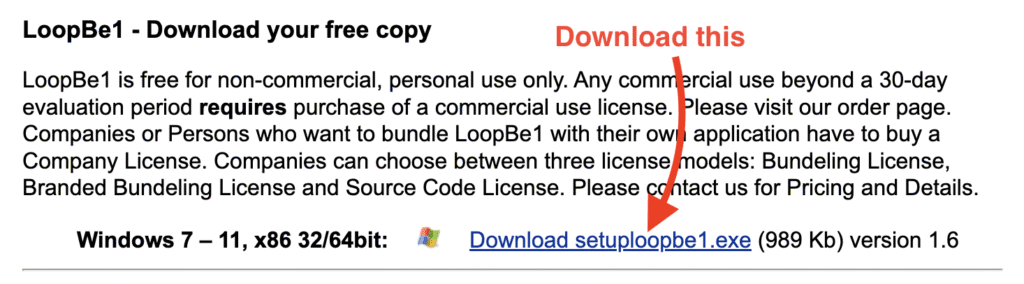
- Go to the website https://www.nerds.de/en/download.html. Scroll to the bottom of the page. Click the link as shown in this image to download the loopBe1 installer.
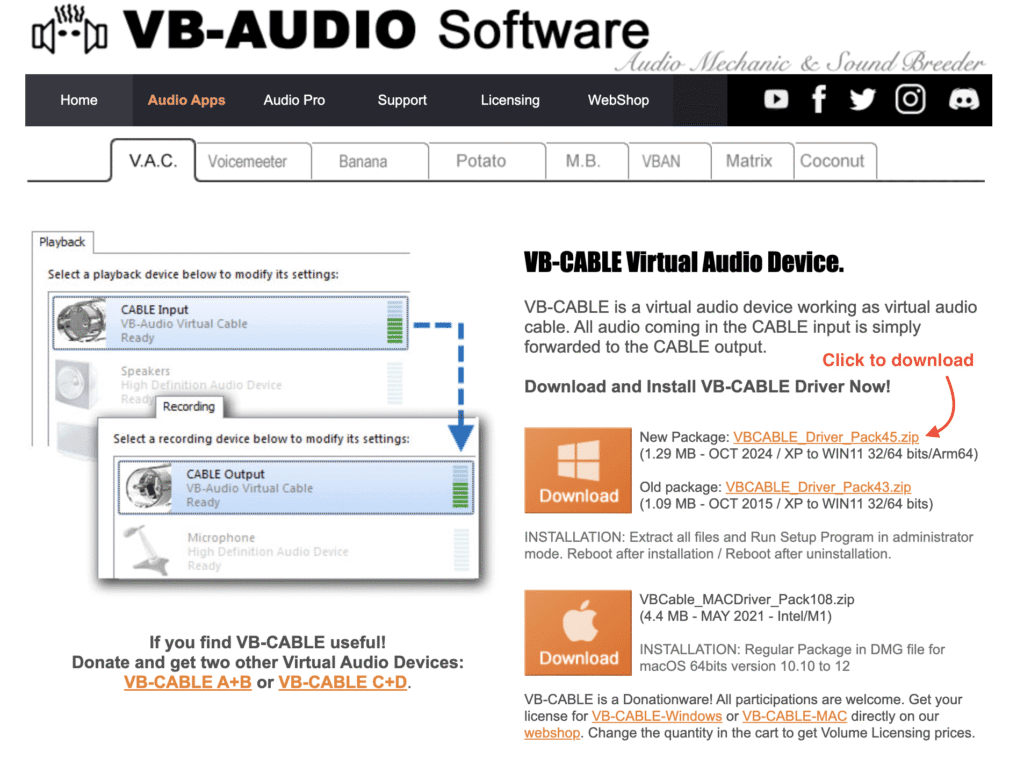
2. Go to the website https://vb-audio.com/Cable/. Click the link as shown in this image to download the VB-Cable installer.
3. Open File Explorer to your Downloads folder.
4. Install loopbe1 on your computer.
5. Install vb-cable on your PC.
6. Restart your PC to complete the setup.
7. Launch QwertyZen Community Edition.
8. Click the Audio Device dropdown to verify “VB-Cable” is installed.
9. Flip the Output Device switch towards DAW Midi Port.
10. Click the MIDI port dropdown to verify “loopBe1” is available.
Now we are ready to perform our music in QwertyZen and record the audio or MIDI output in another application.


