
Skip to content
No results
  • Home
  • User Guide
  • Blog
  • About Us
QwertyZen
QwertyZen

Awaken your inner musician

  • Home
  • User Guide
  • Blog
  • About Us
QwertyZen
QwertyZen

Awaken your inner musician

Getting started

5
  • Download and Install on Windows
  • First run
  • Dowload and Install on MacOS
  • Download and Install on Ubuntu
  • Themes and Customization

Manual

1
  • The main user interface: A powerful tool

MacOS

3
  • How to setup virtual MIDI ports: The definitive guide
  • How to record MIDI from QwertyZen to GarageBand
  • How to setup audio recording on MacOS with QwertyZen and Audacity

Windows

1
  • How to create virtual audio and MIDI ports
  • Home
  • User guide
  • MacOS
  • How to setup virtual MIDI ports: The definitive guide
View Categories

How to setup virtual MIDI ports: The definitive guide

Read time: < 1 min read

MacOS supports sending MIDI messages between two running apps using virtual MIDI ports. These can be easily activated by accessing the Audio/MIDI Setup window. By the end of these instructions you will be ready to record MIDI from QwertyZen Community Edition.

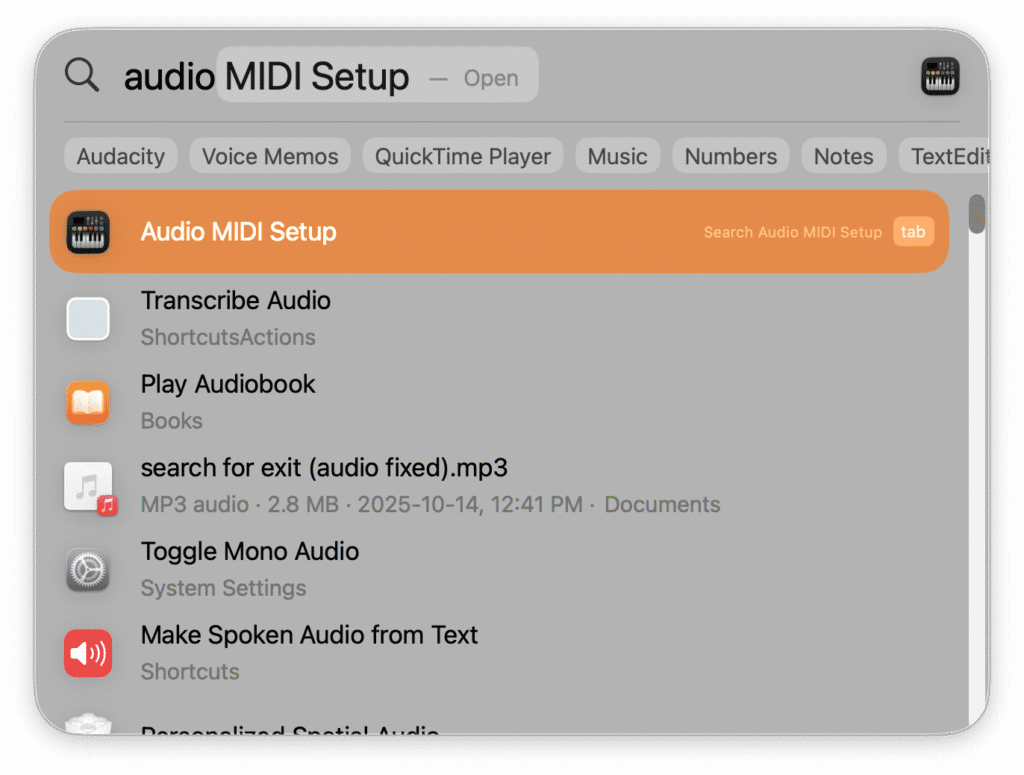
  1. Press cmd + space to open Spotlight search. Type “audio” to show Audio Midi Setup , and press enter.
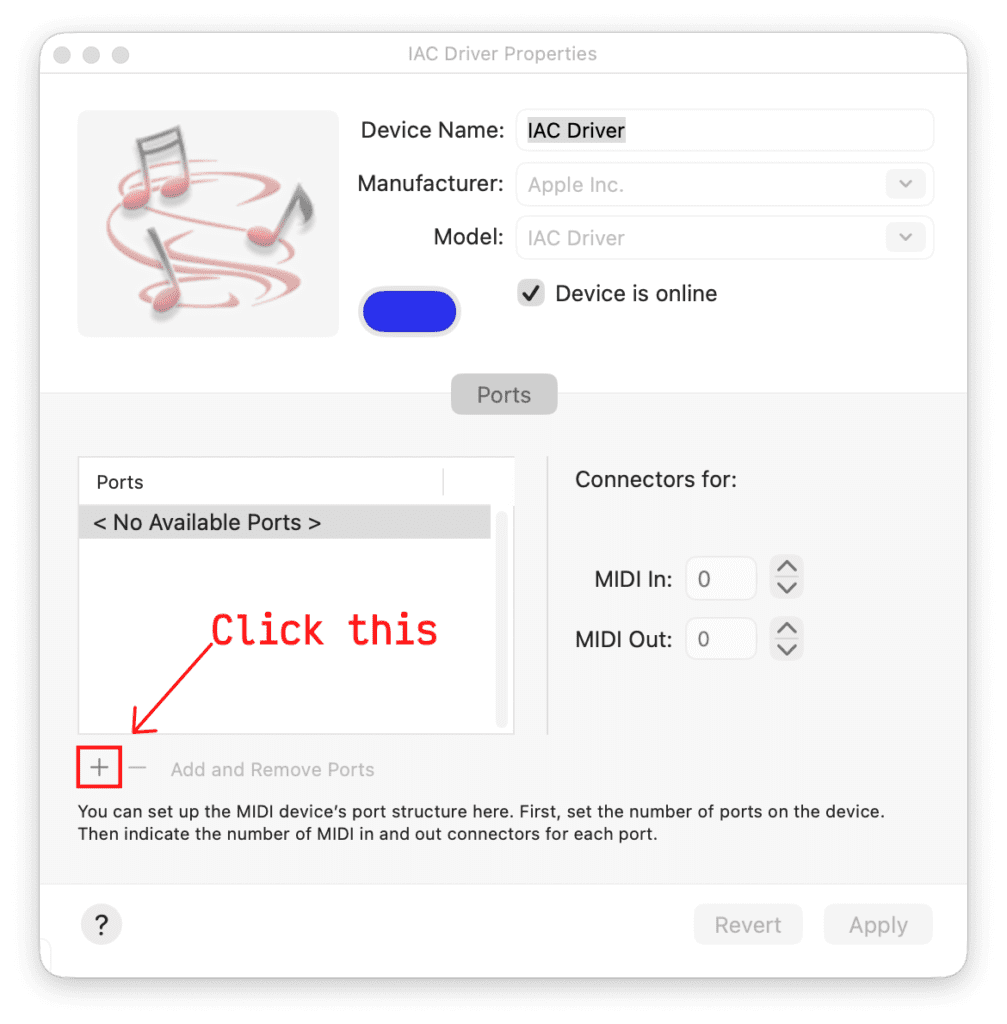
2. In the IAC Driver window click the + button as shown to create a new virtual MIDI port called “Bus 1”.
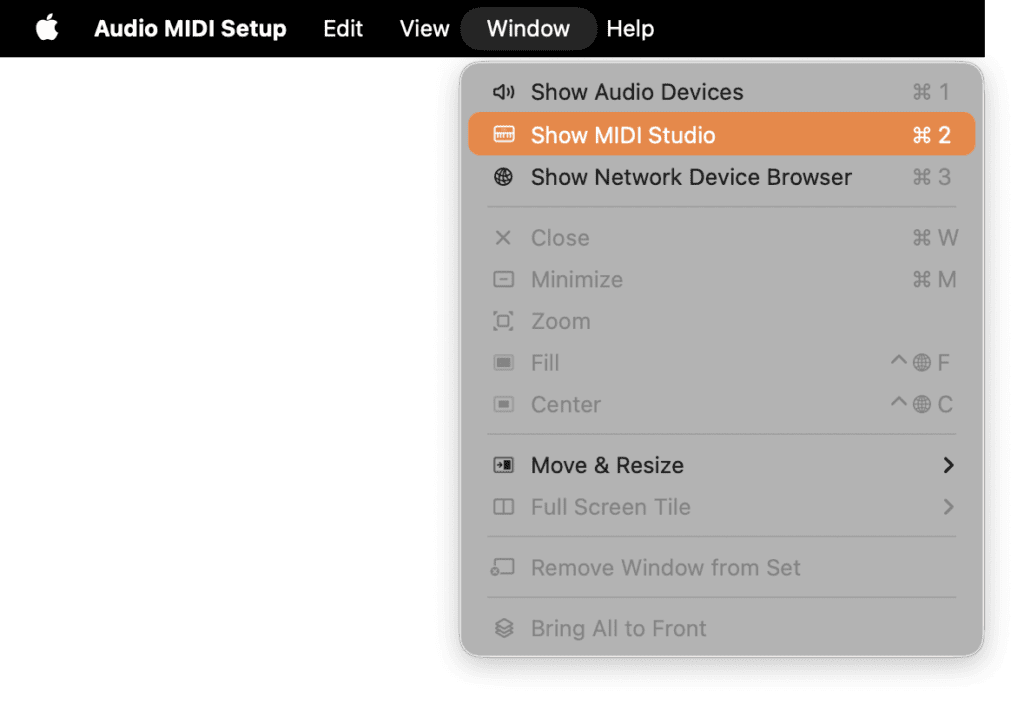
3. If you don’t see the above window, you can open it as shown below. Click Window > Show MIDI Studio.
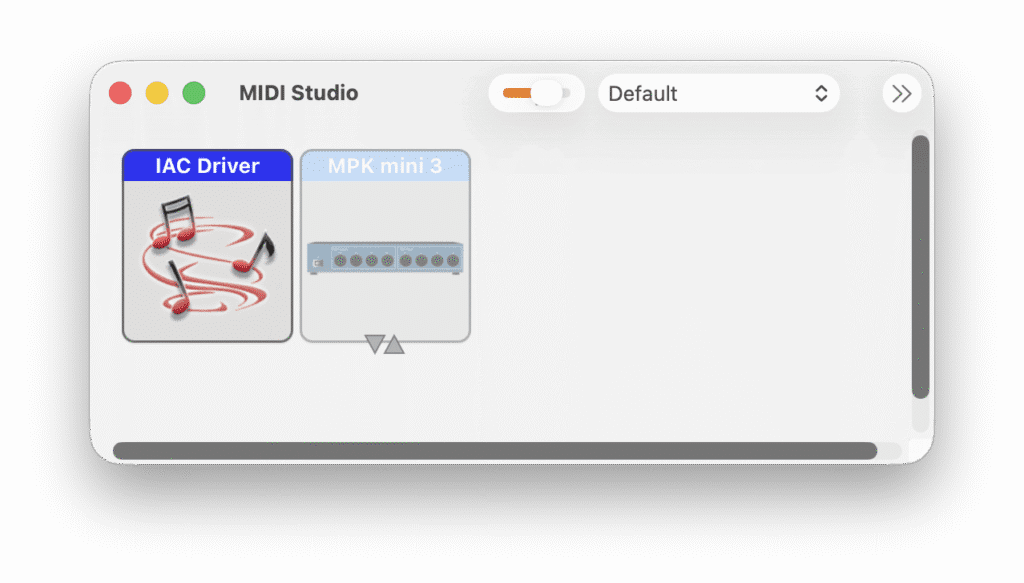
This shows the MIDI Studio window. Double-click the IAC Driver box to open the window shown in step 2.
4. To verify the added virtual MIDI port, open QwertyZen Community Edition.

5. Flip the switch shown in the red box toward MIDI Output.

6. Click the DAW Midi Port to show the available ports. Select “IAC Driver Bus 1” to send MIDI output to other apps.
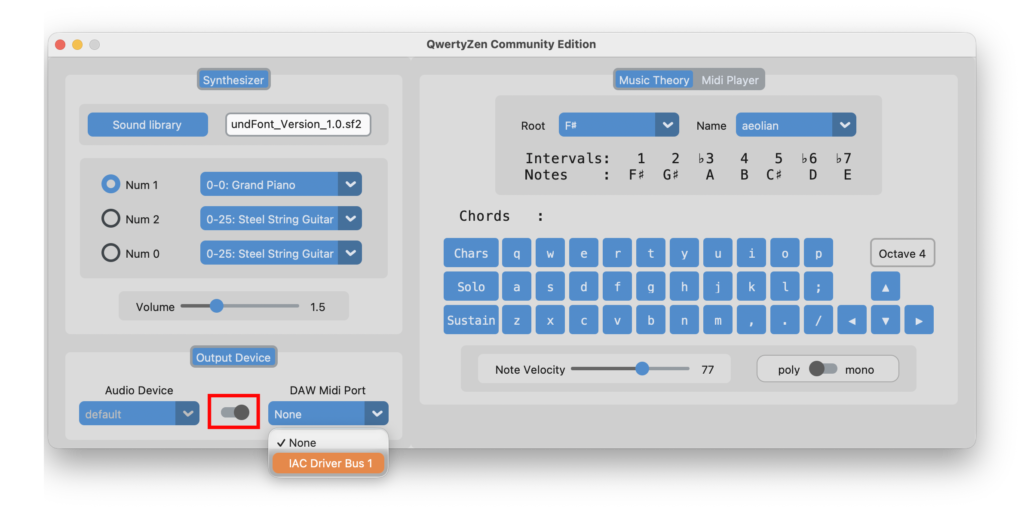
Select the virtual MIDI port output

7. Read the other documents to use QwertyZen Community Edition with Garage Band, BandLab, SurgeXT, and other apps.

How did you feel about this article?

Share This Article :

  • Facebook
  • X
  • LinkedIn
  • Pinterest
Still stuck? How can we help?

How can we help?

Updated on November 27, 2025
How to record MIDI from QwertyZen to GarageBand

Leave a ReplyCancel Reply

Your email address will not be published. Required fields are marked *

Our cookies fall into two categories:

  • Essential cookies – Required for basic site functionality and security.

  • Analytics cookies (Google Analytics) – Help us understand how visitors use our site so we can improve it.

You can accept all cookies or decline non-essential cookies. For more details, see our Cookie Policy and Privacy Policy.

Navigation

  • Home
  • User Guide
  • Blog
  • About Us

Legal

  • Privacy Policy
  • Terms of Service & EULA

Copyright © 2026 - QwertyZen Pvt. Ltd.